
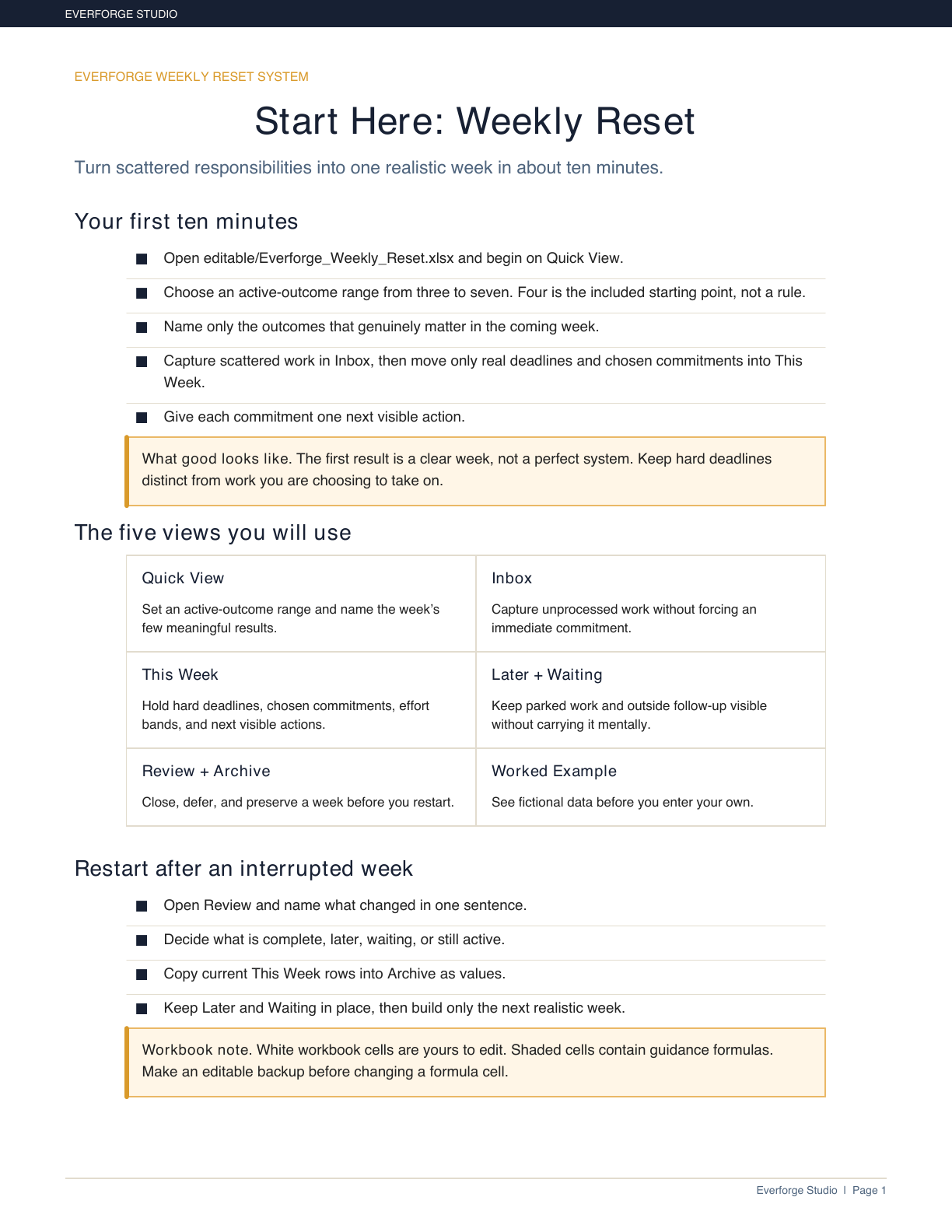
A calm first-use guide for a realistic week.
Open largerPlan a realistic week. Restart without rebuilding.
Turn scattered tasks, real constraints, and hard deadlines into one clear weekly plan — with a flexible commitment range and a calm recovery path when life interrupts.
- Choose a weekly load you can actually see instead of accepting an invisible backlog.
- Keep hard deadlines distinct from work you are choosing to take on.
- Use a buyer-selected range of three to seven active outcomes; the system offers a calm cue rather than blocking you.
- Keep Later and Waiting visible without carrying them mentally.
- Restart from the facts after an interrupted week without recreating the whole plan.
A free, on-device check that suggests a starting weekly load. No account or email required.
- Owned files — no account required
- No macros and no external connections
- No live integrations
- Portable import pack included
- First use in about ten minutes
Real screens from the files you get
The Weekly Reset System is an owned, editable planning workflow for adults who think better by week than by day. It helps you separate hard deadlines from chosen commitments, keep Later and Waiting visible, and make the next visible action clear.
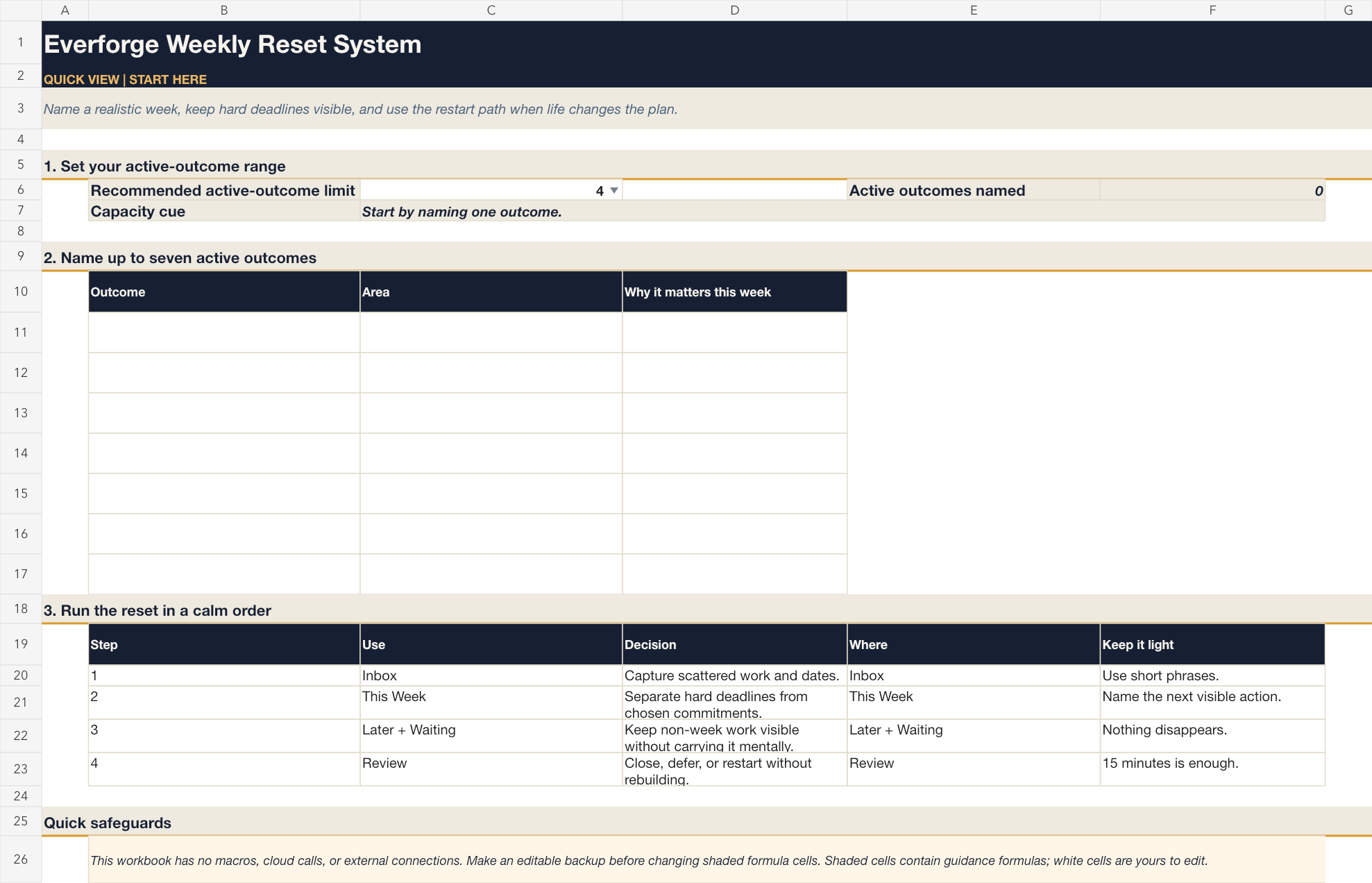
Set a realistic weekly load before you fill the plan.
Open larger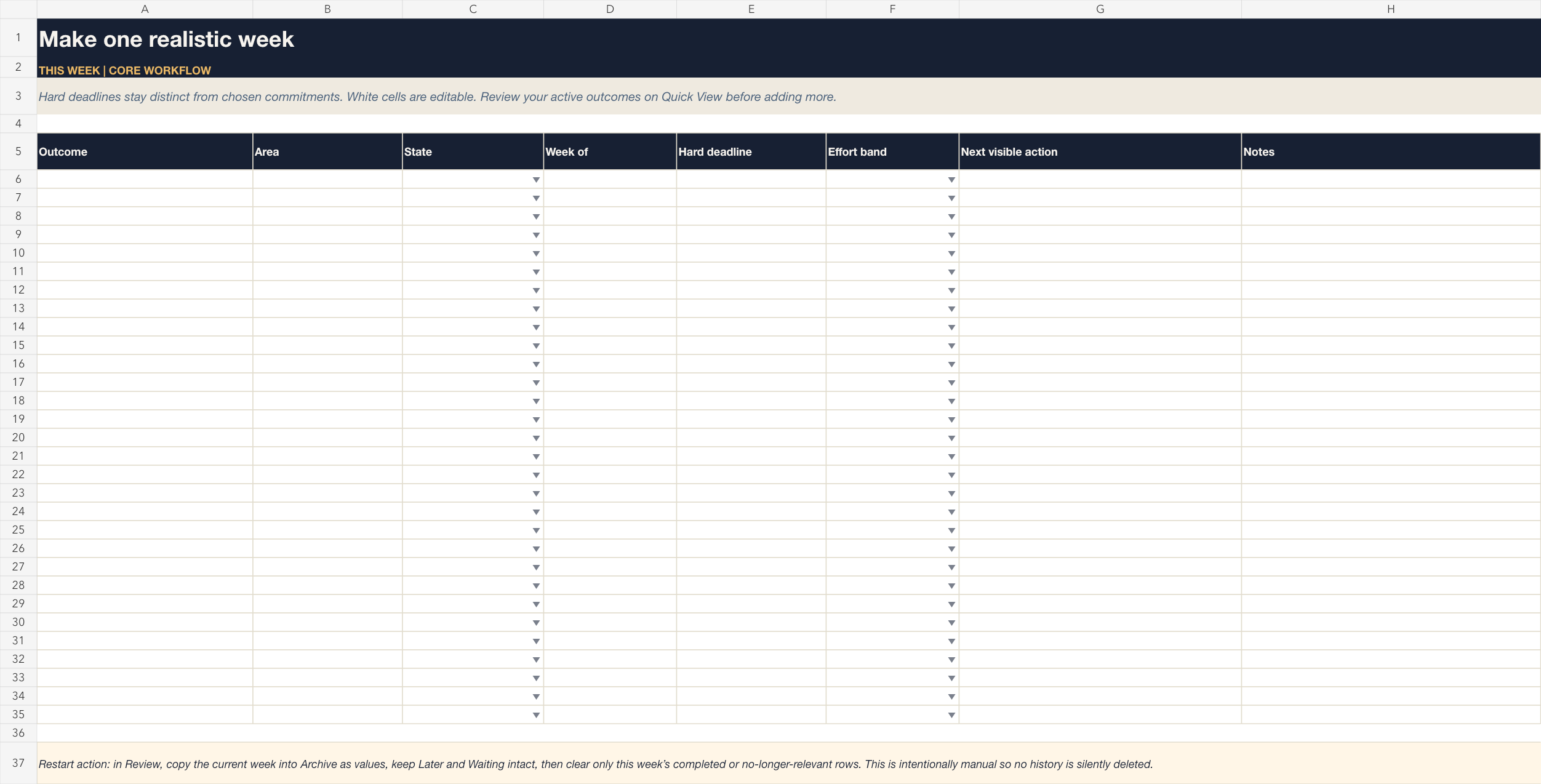
Keep hard deadlines and chosen commitments distinct.
Open larger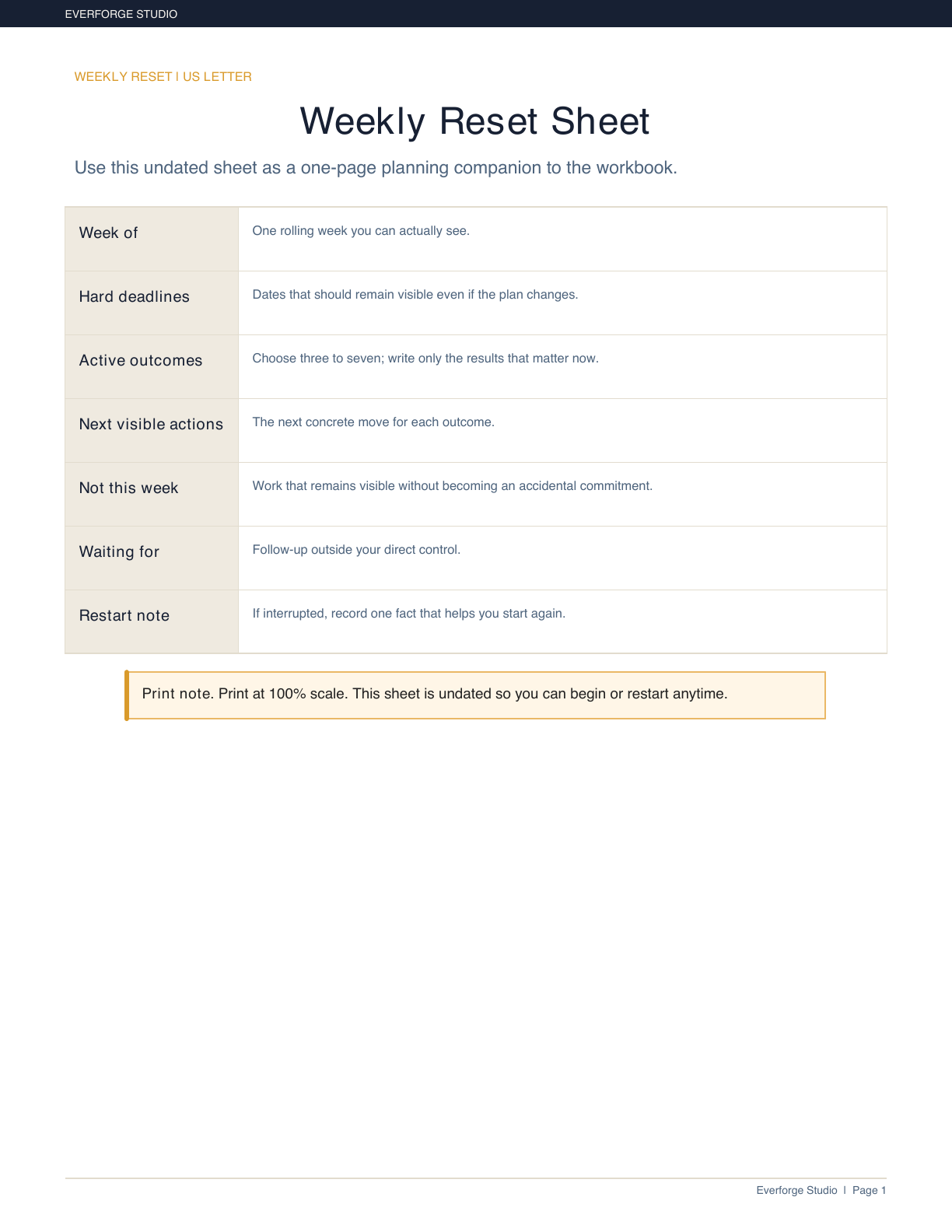
A print companion for a clear week.
Open larger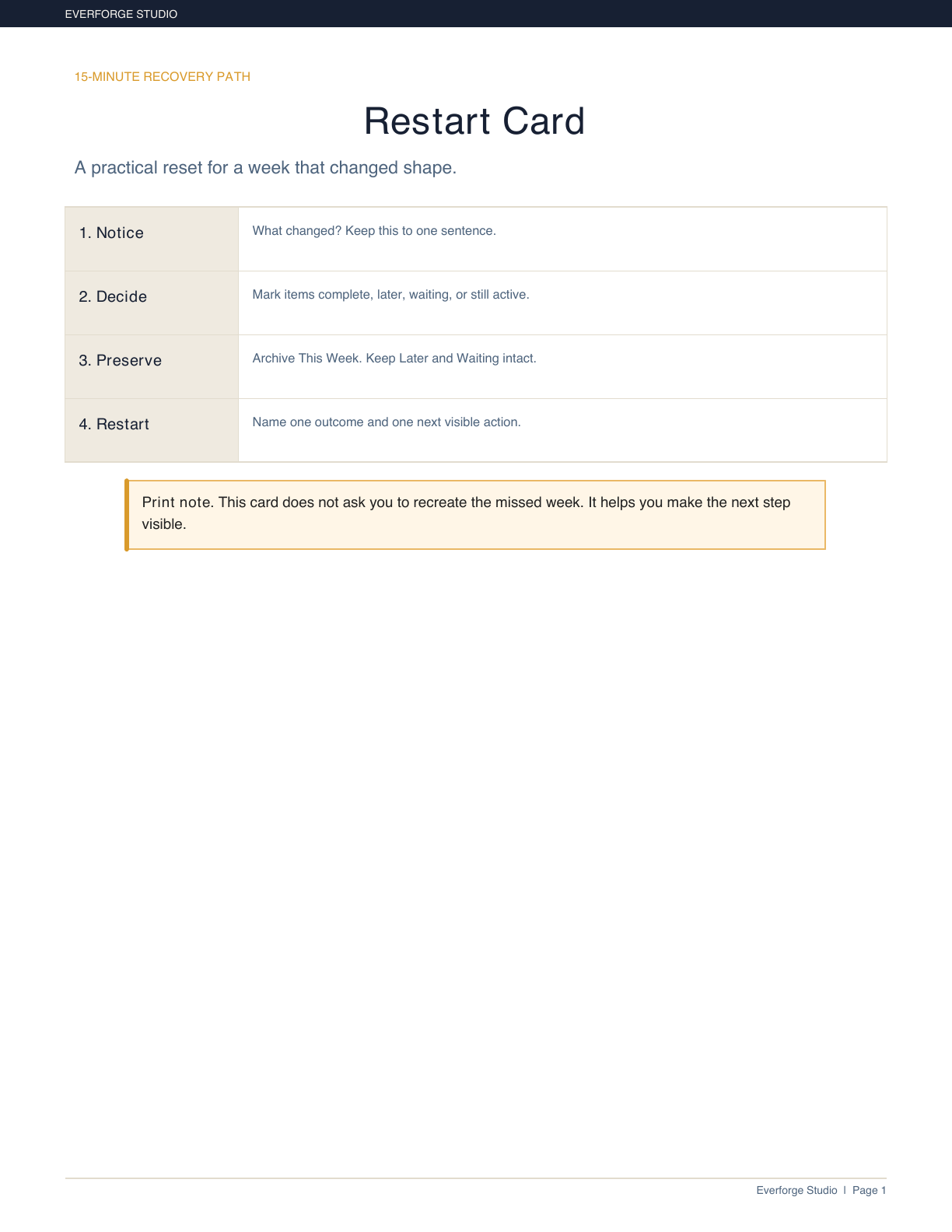
Restart from the facts after an interrupted week.
Open larger
See the structure before entering your own plan.
Open largerFiles in this download
- START-HERE.pdf — Five-minute orientation and first weekly reset.
- Editable Weekly Reset workbook — Quick View, Inbox, This Week, Later, Waiting, Review, Archive, Worked Example, and Lists & Settings.
- US Letter and A4 reset sheets — Printable weekly planning companions.
- Restart Card — 15-minute recovery path for an interrupted week.
- Worked Examples and Quarterly Reset — Fictional scenarios and a light review rhythm.
- Privacy and Optional AI Use guide — No-AI-required boundary and sanitized prompt.
- Productivity App Bridge Pack — Universal CSV plus Notion, Todoist, Asana, Google Calendar, and Outlook starter files and cards.
Your first session
- 1Choose an active-outcome range from three to seven.
- 2Capture scattered work and identify fixed constraints.
- 3Move only hard deadlines and chosen commitments into one clear week.
- 4Give every commitment one next visible action.
- 5Review, archive, and restart without losing Later or Waiting items.
Is this the right tool for you?
Good fit
Professionals, parents, caregivers, household coordinators, and self-employed adults who use some mix of a calendar, task list, notes, paper, or spreadsheets and want a realistic weekly decision layer.
Not designed for
People seeking automatic calendar scheduling, notifications, live account integrations, team project management, or a complete notes system.
What this product does and does not do
Works as an owned download; no account, AI, Notion, subscription, macro, external connection, or cloud call is required. Designed for current desktop Excel. Google Sheets use is a buyer-controlled import and should be visually checked after import. Optional CSV/ICS files are imports and snapshots, not live integrations or automatic updates.
Support and policies
Support can help with file delivery, opening files, and intended workflow. It does not provide individualized productivity, medical, legal, financial, or business advice.
See the refund policy and terms.
Common questions
Does it tell me exactly how many priorities I should have?
No. It offers a flexible starting range of three to seven active outcomes and a capacity cue when the week exceeds your selected range.
Will it reschedule my calendar?
No. It does not connect to your calendar, send notifications, or automatically move tasks.
Can I use it after a difficult or missed week?
Yes. The Review and Restart workflow preserves Later and Waiting items while you build only the next realistic week.
Do I need Notion or AI?
No. The core workflow works without either. The optional import pack is for buyers who want to adapt selected items to another tool.
Where do I begin?
Open START-HERE.pdf, then open the workbook Quick View.
Can I use Google Sheets?
You may import the workbook and should verify visual/function behavior after import.
Plan a realistic week. Restart without rebuilding.
The Weekly Reset System is an owned, editable planning workflow for adults who think better by week than by day. It helps you separate hard deadlines from chosen commitments, keep Later and Waiting visible, and make the next visible action clear.