
The buyer-edition workbook, with fit limits and disclosure on the cover.
Open largerRetirement inputs are scattered. Your questions don't have to be.
Savings, spending, contributions, benefit estimates, inflation, timing, and life events often live in separate notes and portals. This planner puts the assumptions in one visible model so you can see what drives the illustration.
Everforge Retirement Readiness Range Planner
- Three annual paths — low, base, and high remain assumption labels, not rankings.
- Nominal and today-dollar views — the basis stays visible.
- Benefits and life events — record dated estimates and one-time inflows or outflows.
- Shortfalls stay visible — see depletion age and cumulative unmet spending.
- Nine sensitivity cells — shift return by ±2 points and spending by ±15%.
- Professional summary — bring a redacted snapshot and focused questions.
Local files
No bank connection or subscription.
Visible formulas
Nothing hidden behind a black box.
Real screens from the files you get
A 13-sheet Excel planner producing three transparent annual illustrations, a sensitivity view, and a concise redacted meeting summary.
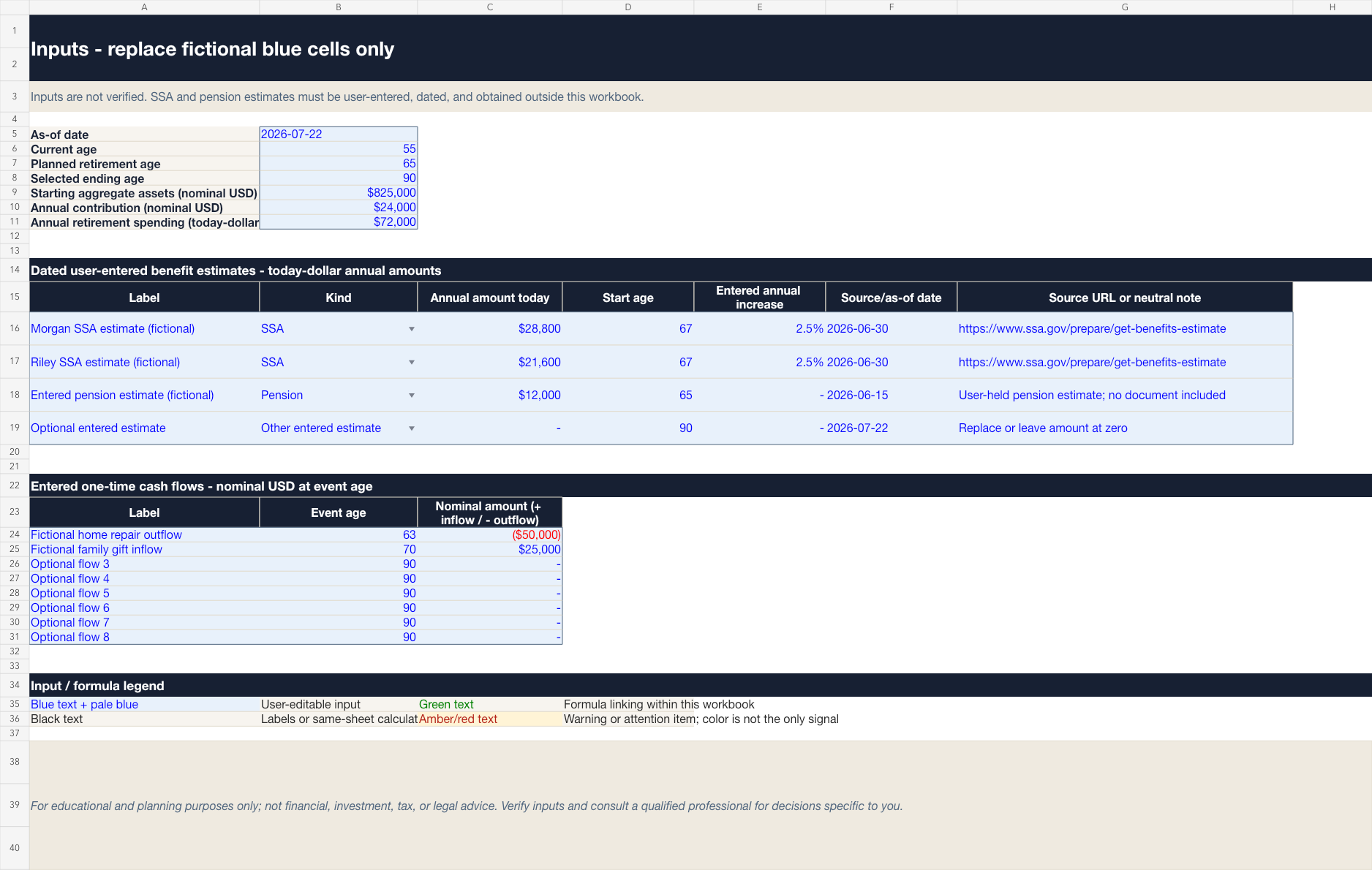
Replace the fictional blue cells with aggregate, dated information.
Open larger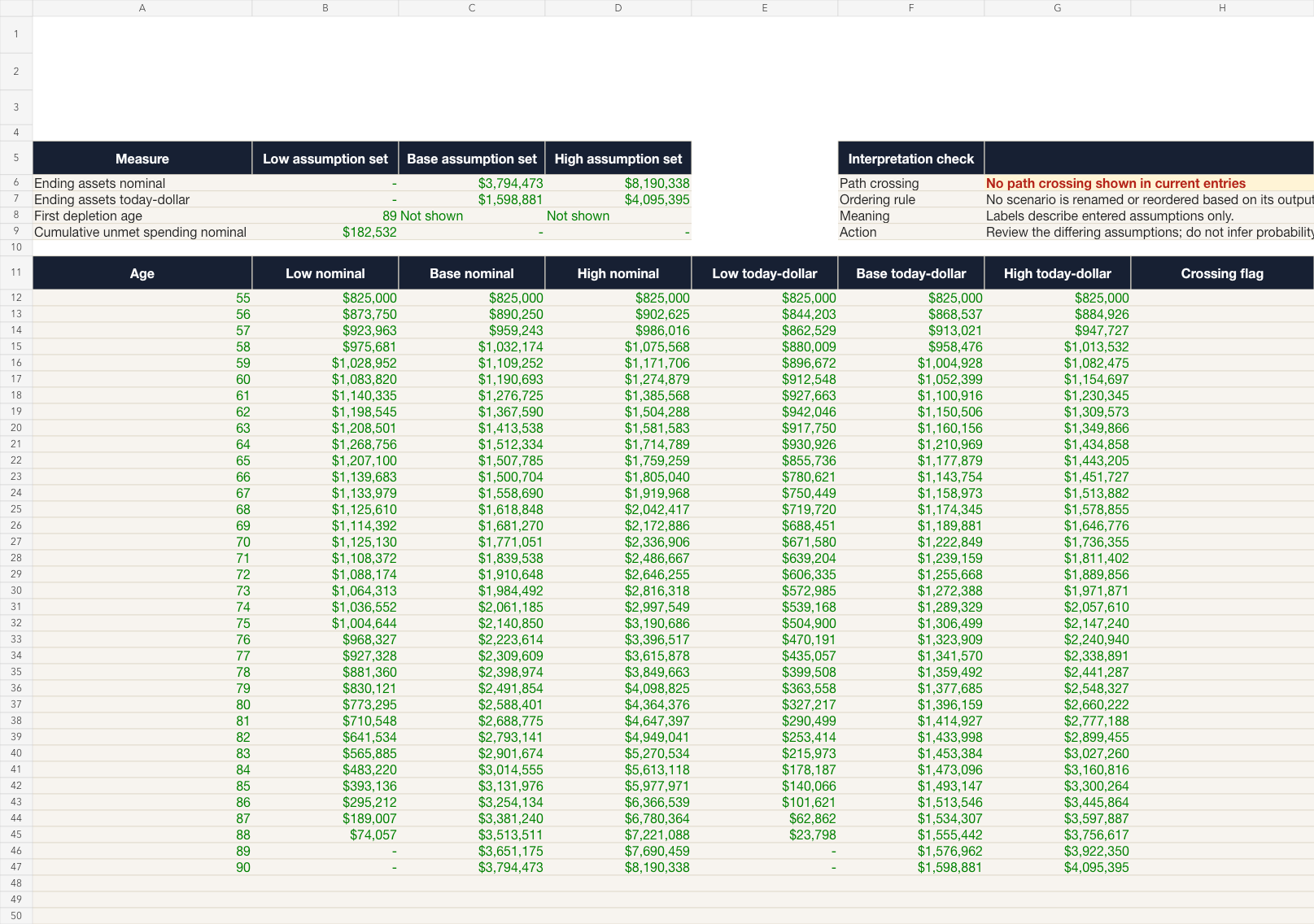
Three deterministic annual illustrations, never reordered by result.
Open larger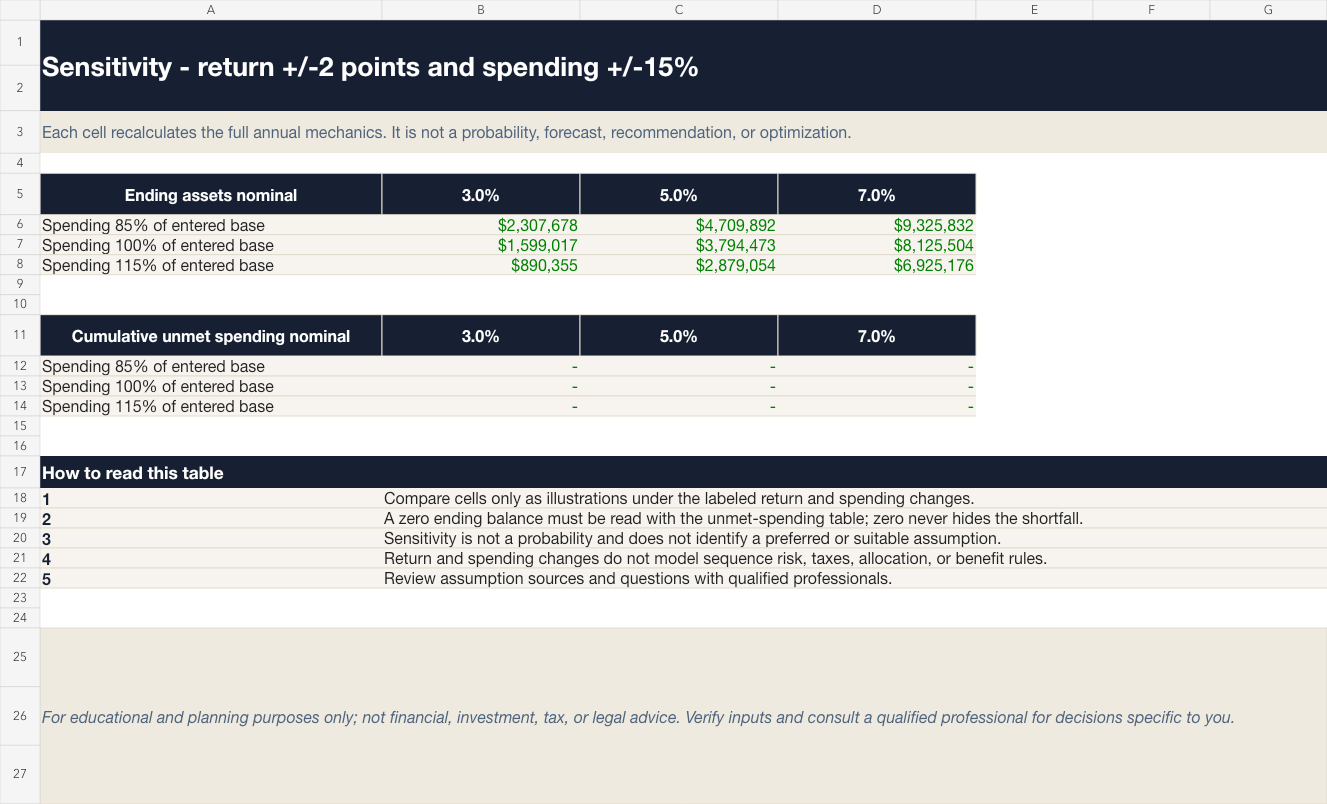
See both ending assets and unmet spending as assumptions shift.
Open larger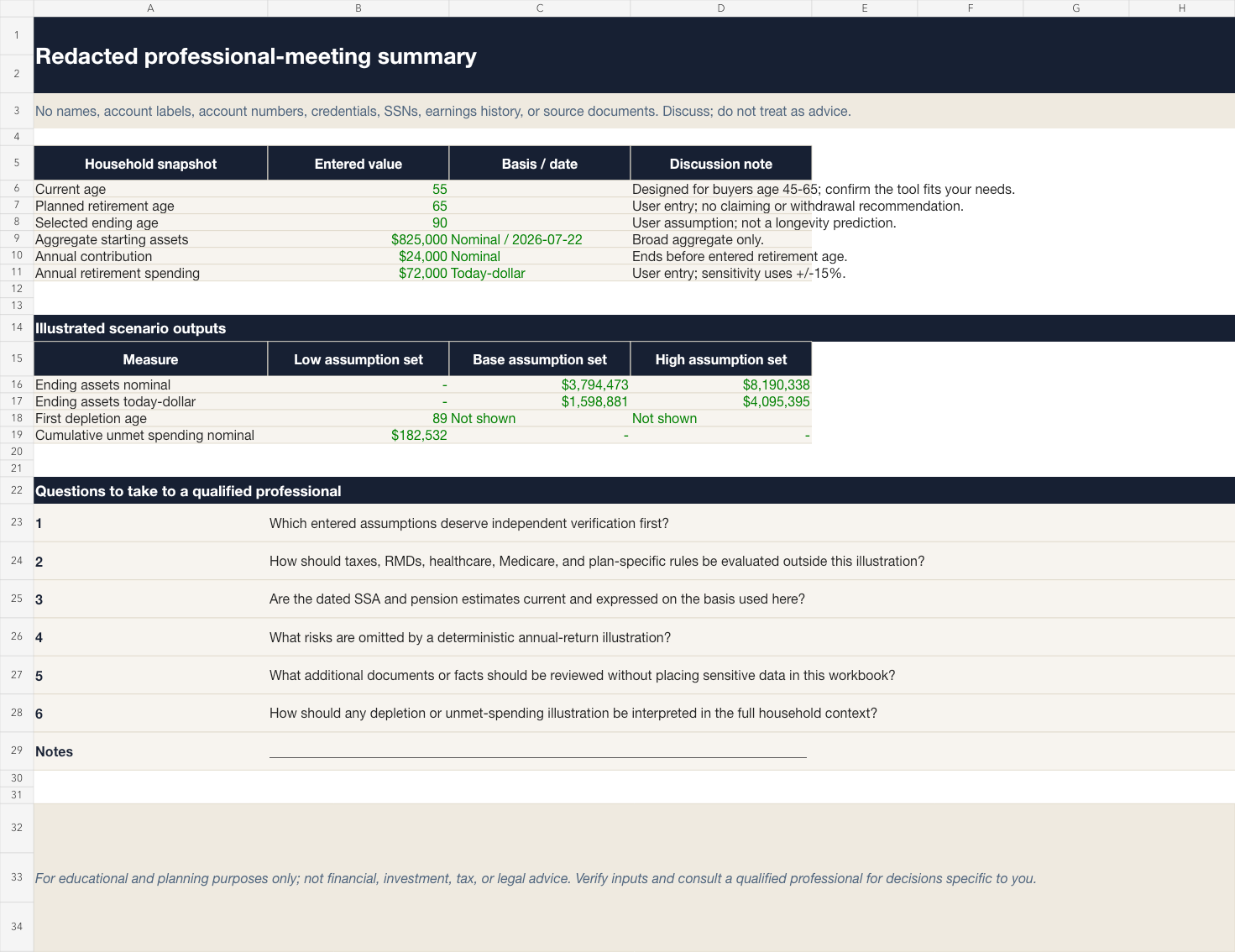
Bring a redacted snapshot and focused questions to a professional.
Open largerFiles in this download
- Retirement Readiness Range Planner v1.0.0 workbook with 13 sheets.
- 10-page Buyer Guide.
- Printable Professional Conversation Sheet.
- License, limitations, changelog, and manifest.
Your first session
- 1Keep an untouched master copy.
- 2Replace the fictional blue cells with aggregate, dated information.
- 3Review Checks and fix any FAIL.
- 4Read scenarios and sensitivity together.
- 5Use the redacted summary to prepare questions for qualified professionals.
Is this the right tool for you?
Good fit
Adults roughly age 45–65; comfortable using Excel; want assumption visibility; willing to verify data and consult professionals.
Not designed for
Monte Carlo probability, forecasts, readiness scores, tax/RMD/Medicare rules, healthcare analysis, allocation, securities, benefit calculations, claiming optimization, recommendations, or individualized advice.
What this product does and does not do
- Designed for current Microsoft 365 Excel desktop. Other spreadsheet applications can alter formulas, validation, or formatting and are unsupported.
- Use aggregate values and aliases. Do not enter credentials, account numbers, Social Security numbers, earnings histories, or unredacted statements.
- Local files are not represented as encrypted or confidential.
- For educational and planning purposes only; not financial, investment, tax, or legal advice.
License
Purchaser's personal or household use only; resale, redistribution, public upload, and commercial reuse are prohibited. The refund policy posted on the store at the time of purchase governs refunds.
See the refund policy and terms.
Common questions
Does this tell me whether I'm ready to retire?
No. It illustrates how entered assumptions interact. It does not certify readiness or recommend a decision.
Are low, base, and high probabilities?
No. They are editable names for assumption sets and are never reordered based on results.
Does it calculate Social Security or pension benefits?
No. You enter dated estimates obtained elsewhere; no eligibility, benefit, or claiming formula is encoded.
Does it include taxes, RMDs, Medicare, or healthcare?
No. Those are deliberately outside scope and should be evaluated with qualified professionals.
What software do I need?
Current Microsoft 365 Excel desktop. Other spreadsheet apps are not supported.
Can I share or resell the files?
No. The license is for the purchaser's personal or household use and prohibits resale, redistribution, public upload, and commercial reuse.
Are updates included forever?
No. Everforge may issue version 1 corrections or compatibility updates when appropriate, but perpetual updates and future major versions are not promised.
What is the refund policy?
The policy posted on the store at the time of purchase governs refunds.
Retirement inputs are scattered. Your questions don't have to be.
A 13-sheet Excel planner producing three transparent annual illustrations, a sensitivity view, and a concise redacted meeting summary.
For educational and planning purposes only; not financial, investment, tax, or legal advice. Verify your own inputs and consult a qualified professional for decisions specific to you.