

Compare four modeled repayment orders.
Open largerCompare the payoff order before you commit to it
Model minimum-only, snowball, avalanche, and custom fixed-rate debt scenarios in one transparent Excel workbook — then record the method you choose.
Everforge Debt Payoff Decision Lab
- Compare four modeled repayment orders side by side.
- Enter fixed-rate assumptions once and reuse them across scenarios.
- Follow the monthly calculation trail in visible schedules.
- Model one optional future change to your extra payment.
- Record only the plan you select, with a future review date.
Local files
No bank connection or subscription.
Visible formulas
Nothing hidden behind a black box.
Real screens from the files you get
A local Excel comparison workbook with visible schedules. No macros, bank connection, lender connection, telemetry, or credential fields.
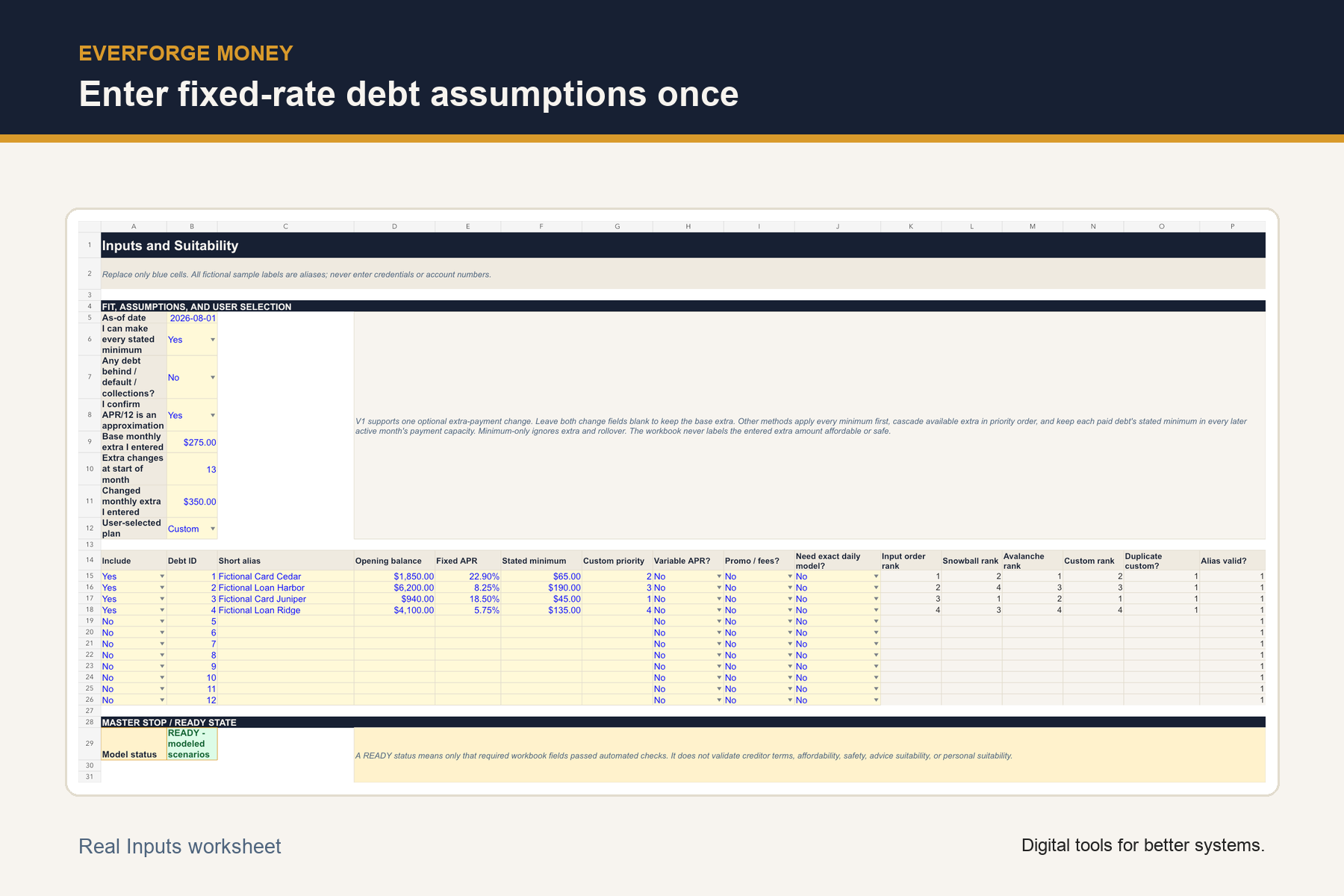
Enter fixed-rate debt assumptions once.
Open larger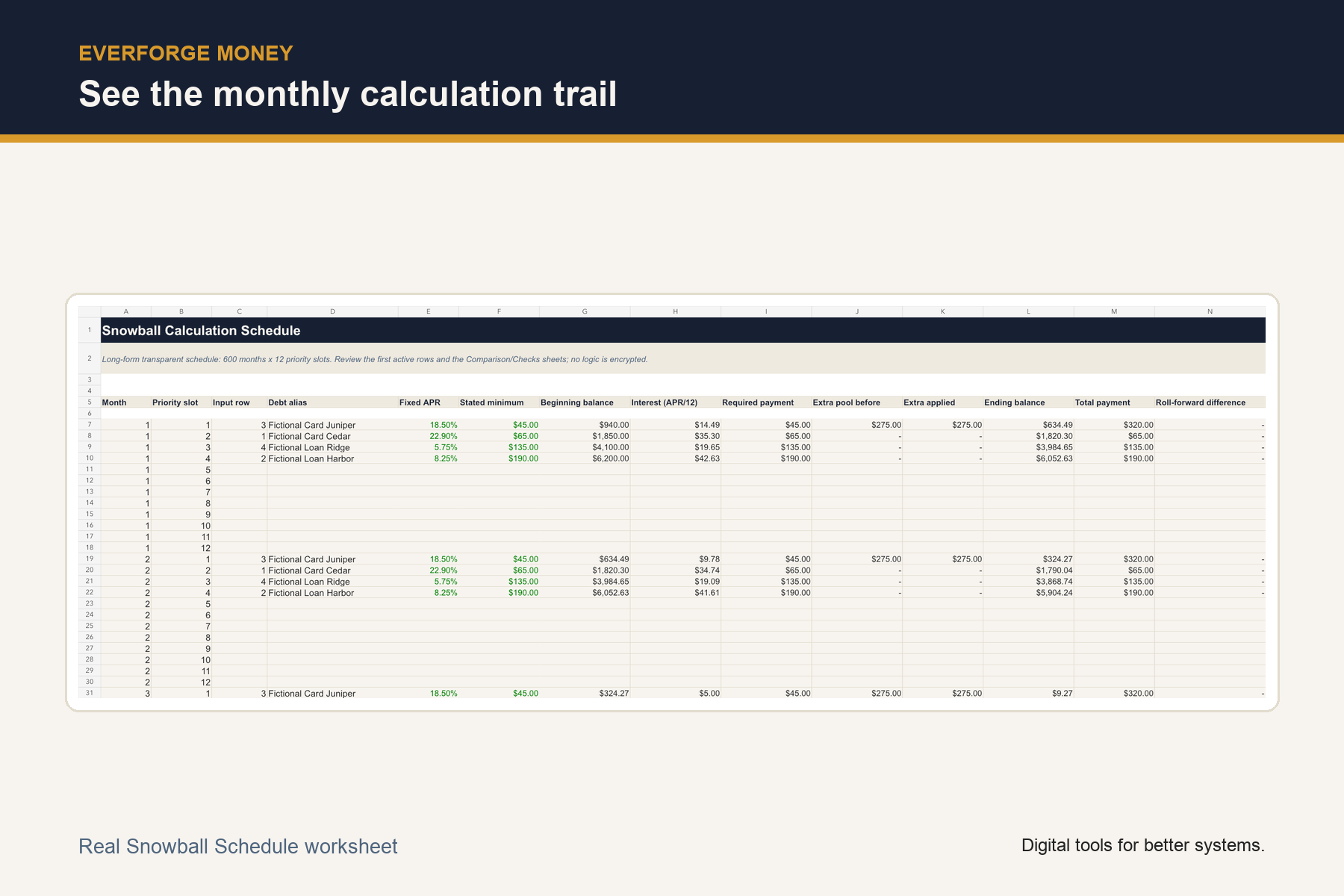
See the monthly calculation trail.
Open larger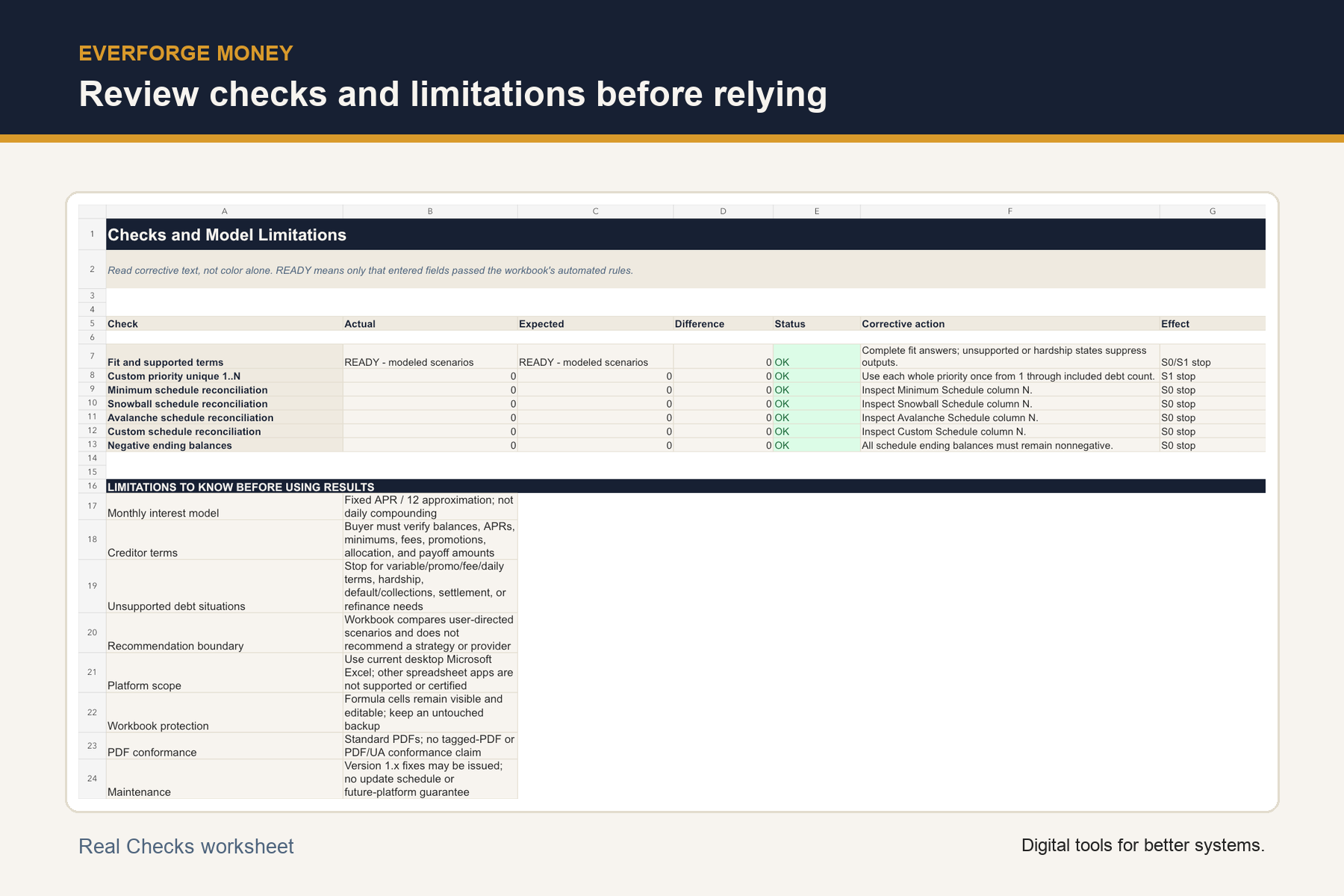
Review checks and limitations before relying on a scenario.
Open larger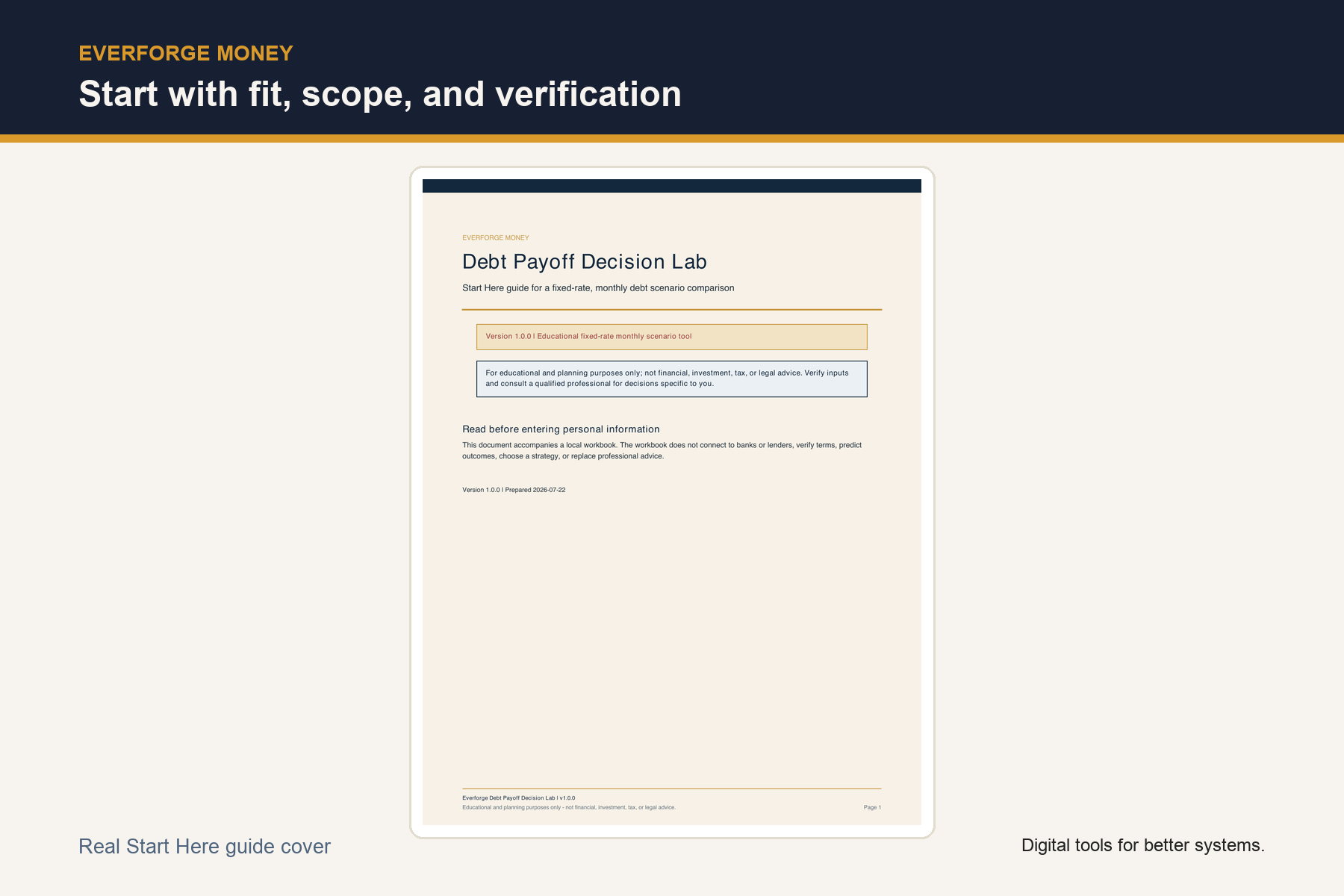
Start with fit, scope, and verification.
Open largerFiles in this download
- Excel comparison workbook — guided inputs, four scenario summaries, transparent schedules, checks, and decision record.
- Start Here PDF — fit criteria, quick start, calculation order, limitations, and a creditor-verification checklist.
- Fictional Example PDF — demonstrates the output form without personal guidance.
- Buyer terms — personal-use license, store-policy refund language, support privacy guidance, and manifest.
Your first session
- 1Read Start Here and complete the fit check.
- 2Replace fictional values with short aliases and verified fixed-rate assumptions.
- 3Enter a base extra amount and, optionally, one future change.
- 4Compare the four modeled rows and inspect Checks.
- 5Verify current creditor terms and payoff amounts.
- 6Record only the plan you select and set a future review date.
Is this the right tool for you?
Good fit
Adults who are current on payments and can make every stated minimum, comparing fixed-rate payoff orders in a local Excel tool with visible schedules.
Not designed for
Inability to make minimums, delinquency, default, or collections; settlement, bankruptcy, credit repair, stop-payment, consolidation/refinancing, or provider-selection decisions; variable APR, promotional-rate, fee/penalty, or exact daily-compounding modeling; anyone seeking a lender payoff quote, strategy recommendation, or certainty about results.
What this product does and does not do
- Use a current desktop version of Microsoft Excel. Google Sheets, Excel for the web, Apple Numbers, and other spreadsheet apps are not supported or certified.
- Formula cells are visible and not protected; keep an untouched backup.
- Interest is modeled once per month as fixed APR divided by 12.
- Results are approximate educational scenarios, not lender statements or payoff quotes.
- For educational and planning purposes only; not financial, investment, tax, or legal advice.
License
Personal use license. Refunds follow the Everforge Studio refund policy displayed at purchase. Version 1.x corrections or maintenance updates may be issued; no update schedule or future-platform compatibility is promised.
See the refund policy and terms.
Common questions
Does the workbook recommend snowball or avalanche?
No. It compares user-directed scenarios and records only the method you select.
Is the interest exact?
No. The model uses a fixed APR / 12 monthly approximation; creditor results may differ.
Can it handle a future extra-payment change?
Yes. Version 1.0 supports one optional change month and changed extra amount.
What happens after a modeled payoff?
In snowball, avalanche, and custom scenarios, the paid debt's stated minimum becomes part of modeled payment capacity beginning the following month and remains available in later active months.
Does it connect to financial accounts?
No. It has no bank or lender connection, telemetry, macro, credential field, or account-number field.
Can I use Google Sheets?
Google Sheets and other non-desktop-Excel environments are not supported or certified.
What is the refund policy?
Refunds follow the Everforge Studio refund policy displayed at purchase.
Are updates included?
Version 1.x corrections or maintenance updates may be issued, but no update schedule, perpetual updates, new features, or future-platform compatibility is promised.
Compare the payoff order before you commit to it
A local Excel comparison workbook with visible schedules. No macros, bank connection, lender connection, telemetry, or credential fields.
For educational and planning purposes only; not financial, investment, tax, or legal advice. Verify inputs and current creditor terms, request payoff amounts directly from creditors, and consult a qualified professional for decisions specific to you.