

Begin with a short setup and clear limits.
Open largerSee the next 13 weeks before they become a scramble
Organize the cash, income, obligations, and buffer you enter into one clear Excel planning view — without linking accounts or being told what to do.
Everforge 90-Day Cash-Flow Reset
- Put dated income and obligations on one weekly timeline.
- Keep your buffer visible beside the plan.
- Use baseline, lean, and improved planning views without changing source rows.
- Catch incomplete entries with visible checks and warnings.
- Record the actions and follow-ups you choose.
Local files
No bank connection or subscription.
Visible formulas
Nothing hidden behind a black box.
Real screens from the files you get
A practical workbook for replacing scattered dates and amounts with a 13-week projection you can review each week.
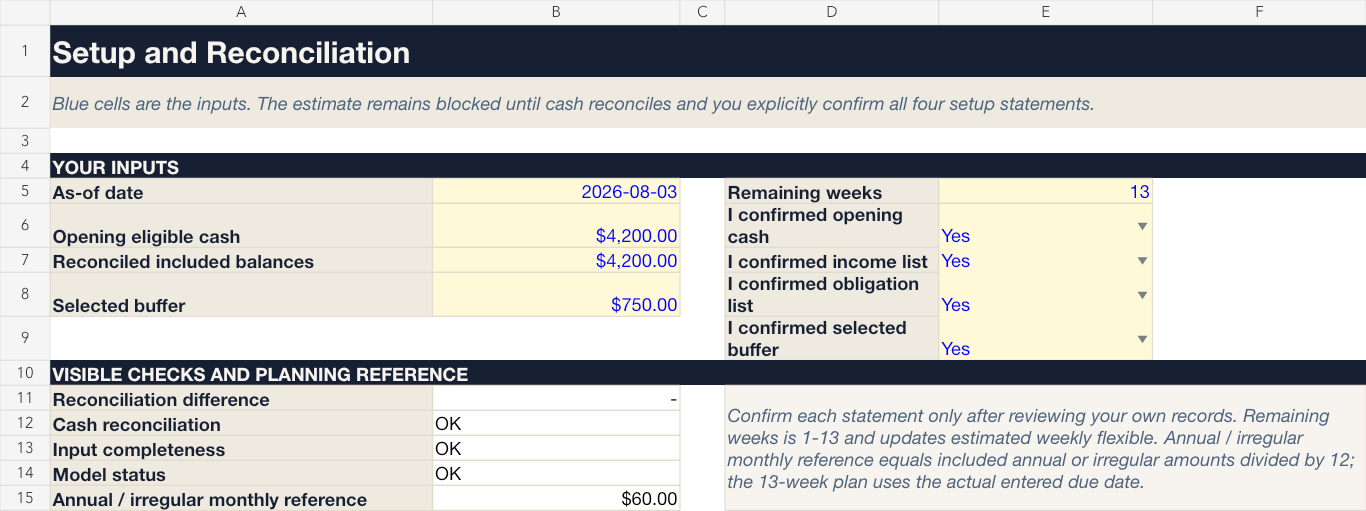
Enter the planning date, cash, buffer, and confirmations.
Open larger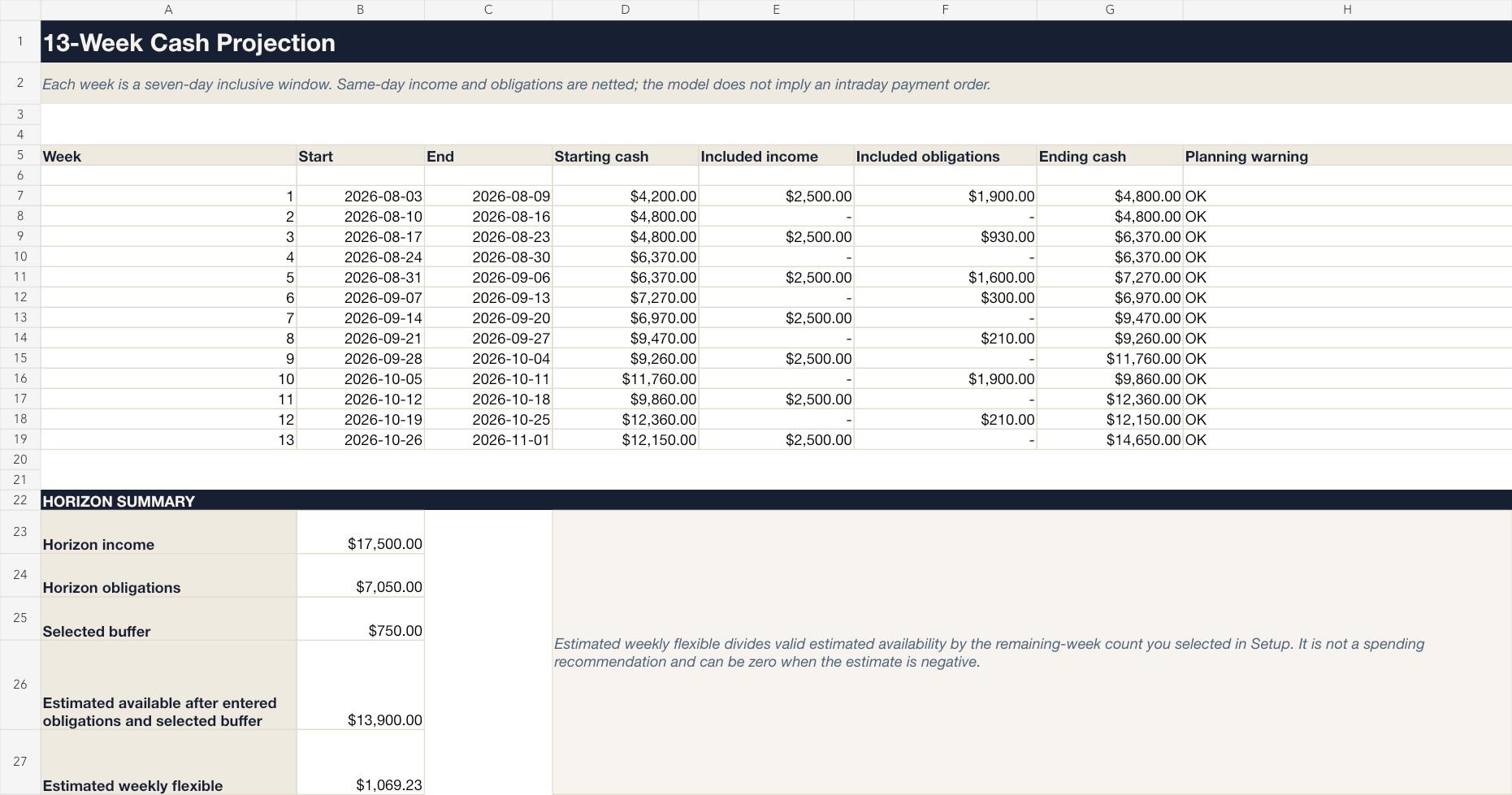
Review dated cash flow one week at a time.
Open larger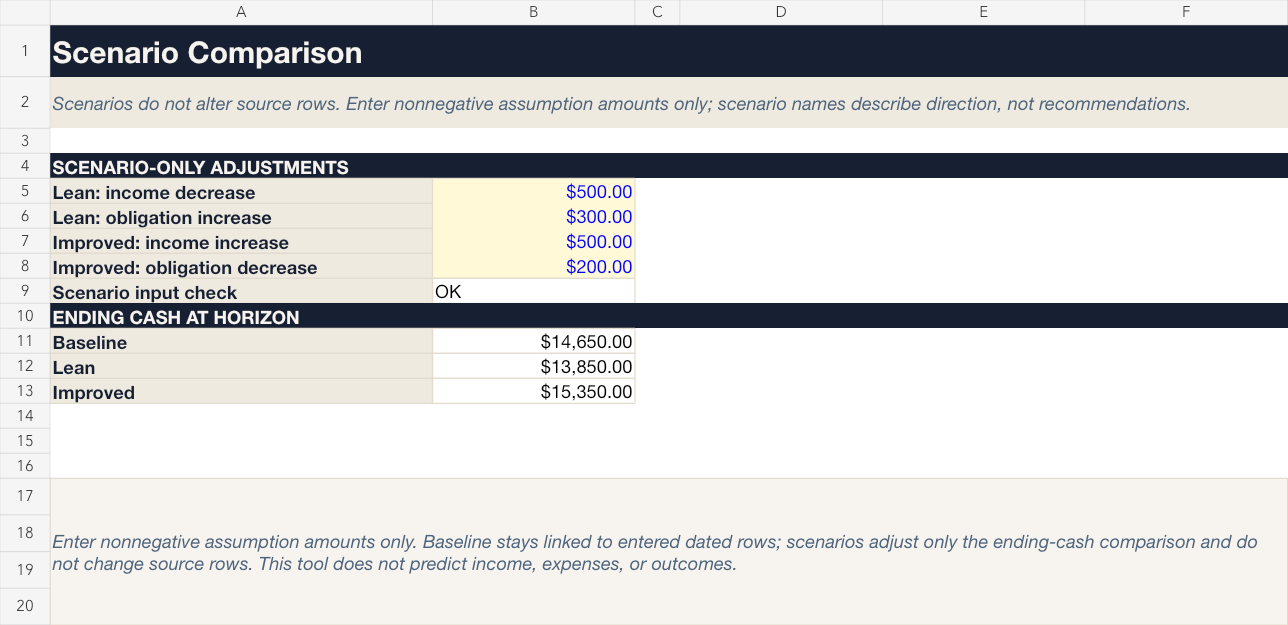
Compare planning views without changing your source rows.
Open larger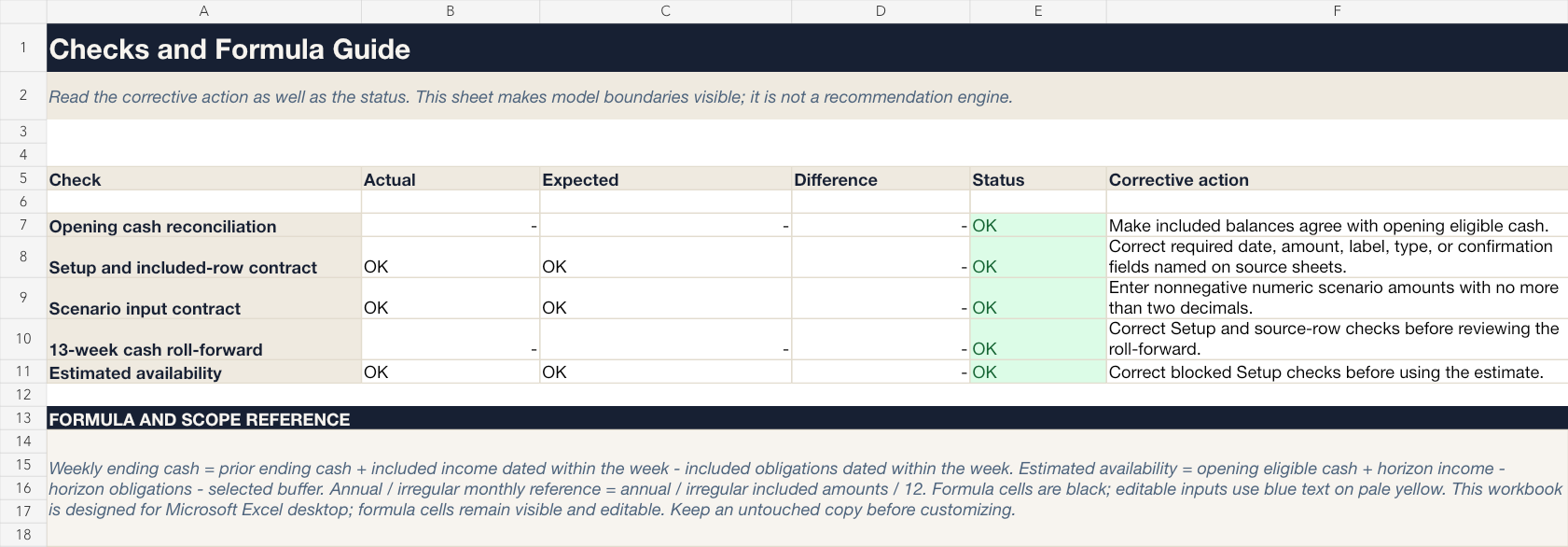
Visible checks show when the plan is ready to review.
Open largerFiles in this download
- Editable Excel workbook — the calculator and weekly review workflow.
- Setup guide PDF (Start Here) for first use.
- Printable action-plan PDF for paper planning.
Your first session
- 1Read Start Here.
- 2Replace the fictional blue-cell inputs.
- 3Review the 13-week plan and warnings.
- 4Record your own actions in Weekly Review.
Is this the right tool for you?
Good fit
Adults or households who prefer a hands-on, editable spreadsheet for a near-term cash-flow review.
Not designed for
Anyone seeking bank sync, bill pay, automated budgeting, an affordability decision, debt/tax/investment advice, or a recommendation about what to do with money.
What this product does and does not do
- Designed for Microsoft Excel desktop on Windows or Mac. Other spreadsheet applications are not promised compatible.
- Formula cells are visible and editable.
- The calculation depends on your entries and does not verify them.
- For educational and planning purposes only; not financial, legal, tax, credit, investment, accounting, or other professional advice.
License
Personal/household use only; no resale, redistribution, sharing, client service use, or republishing.
See the refund policy and terms.
Common questions
Does it connect to my bank?
No. It has no bank connection, credential field, macro, or web link.
Does it recommend what I should pay or spend?
No. It organizes entries and displays calculations and warnings; you choose the actions.
Are updates included?
Maintenance updates, if released, apply to v1. Future major versions are separate products unless Everforge Studio explicitly says otherwise.
What is the refund policy?
The store refund policy governs purchases.
See the next 13 weeks before they become a scramble
A practical workbook for replacing scattered dates and amounts with a 13-week projection you can review each week.
For educational and planning purposes only; not financial, investment, tax, or legal advice. Verify your own inputs and consult a qualified professional for decisions specific to you.